Maintenance & Support
Preventive maintenance schedules, calibration procedures, troubleshooting guides, and technical support resources for long-term operation of groundwater and drinking water monitoring systems.
12.1 Maintenance Philosophy
Effective maintenance of environmental monitoring systems requires a shift from reactive (fix-when-broken) to proactive (prevent-before-failure) maintenance. Reactive maintenance is expensive — unplanned technician visits cost 3–5 times more than planned visits, and data gaps caused by equipment failures create compliance risks. Proactive maintenance, guided by a structured schedule and supported by remote monitoring of equipment health indicators, minimizes unplanned downtime and extends equipment life.
The maintenance program should be designed around three principles: Predictability — maintenance activities are scheduled in advance, allowing resource planning and minimizing site visits; Efficiency — each site visit accomplishes multiple maintenance tasks, reducing travel costs; and Documentation — all maintenance activities are recorded in the platform, creating an auditable maintenance history that supports warranty claims, regulatory compliance, and troubleshooting.
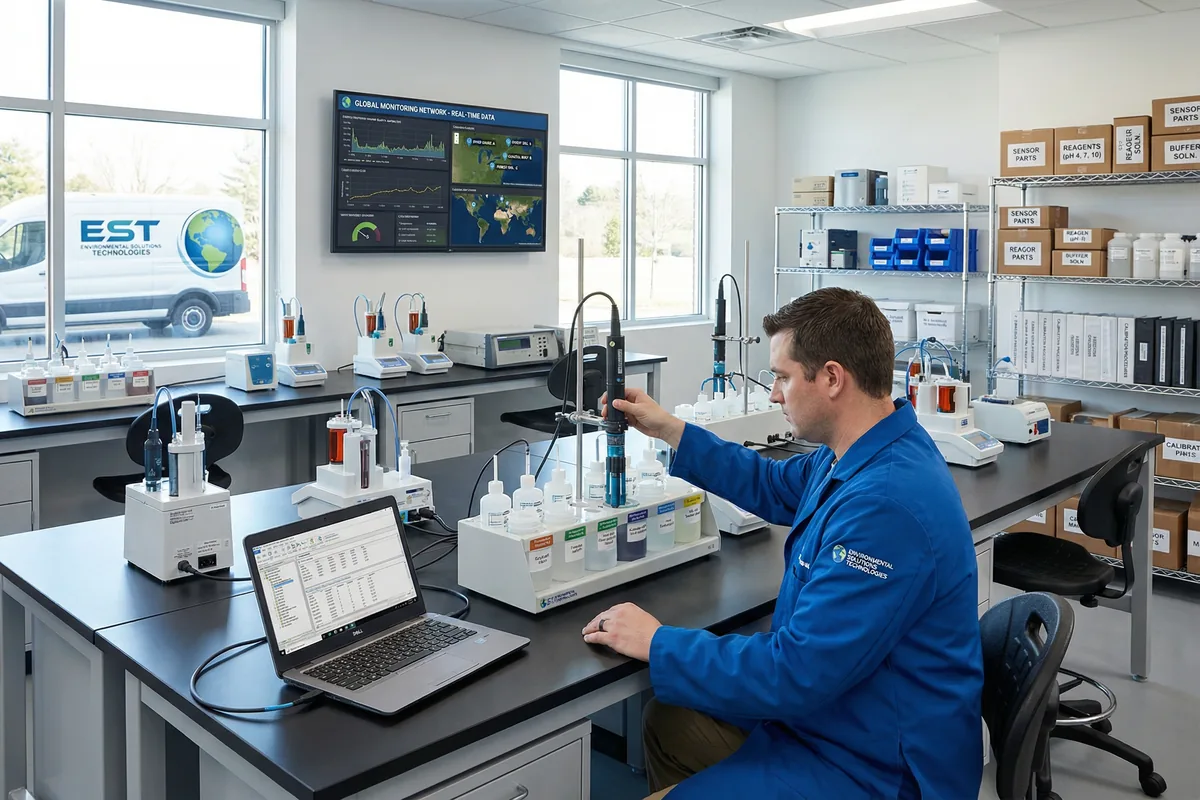
Figure 12.1: Technical Support and Calibration Laboratory — Technician Calibrating Multi-Parameter Sonde with Buffer Solutions and Calibration Software, Monitoring Dashboard Visible in Background
12.2 Preventive Maintenance Schedule
The maintenance schedule below defines the minimum frequency for all preventive maintenance activities. Site-specific conditions — particularly aggressive water chemistry, high biofouling rates, or extreme weather — may require more frequent maintenance. The schedule should be reviewed annually and adjusted based on field experience and data quality trends.
| Activity | Frequency | Method | Acceptance Criterion | Documentation |
|---|---|---|---|---|
| Remote Data Review | Daily (automated) | Platform QA/QC flag review; alarm status check | No unresolved alarms; data completeness >95% | Automated daily report |
| Sensor Cleaning | Monthly (or as indicated by fouling) | Remove sensor; clean with soft brush and DI water; inspect for damage | No visible fouling; optical windows clear | Site visit log; before/after photos |
| Sensor Calibration Check | Monthly (spot check); Quarterly (full) | Compare sensor reading against calibration standard; adjust if drift >tolerance | All parameters within specification after calibration | Calibration record with as-found and as-left values |
| Battery Capacity Test | Annual | Measure battery voltage under load; compare to rated capacity | Capacity >80% of rated; replace if below 70% | Battery test record |
| Earth Resistance Test | Annual | Fall-of-potential method with calibrated tester | Earth resistance <10 Ω | Earth resistance test certificate |
| SPD Inspection | Annual (or after lightning event) | Visual inspection of SPD status windows; replace if status indicates fault | All SPD status windows show "OK" | SPD inspection record |
| Enclosure Inspection | Annual | Check door seals, cable glands, desiccant packs; replace as needed | No moisture ingress; desiccant not saturated | Enclosure inspection record |
| Full System Audit | Annual | Complete review of all equipment, wiring, software, and documentation | All items meet current specifications; documentation up to date | Annual audit report |
12.3 Troubleshooting Guide
Systematic troubleshooting — following a defined diagnostic process rather than replacing parts at random — reduces downtime and minimizes unnecessary costs. The troubleshooting guide below covers the most common field problems, their likely causes, and the diagnostic steps to identify and resolve them.
| Symptom | Likely Cause | Diagnostic Steps | Resolution |
|---|---|---|---|
| No data received at platform | Communications failure; power failure; RTU fault | 1. Check platform for last received timestamp. 2. Check cellular router LED status remotely. 3. Check solar/battery voltage via MPPT data. | Restore power; replace SIM; reset router; replace RTU if fault confirmed |
| Sensor reading stuck (no variation) | Sensor fouled; sensor failed; cable fault; input configuration error | 1. Check QA/QC flag (STUCK). 2. Retrieve sensor; inspect for fouling. 3. Test sensor in clean water. 4. Check cable continuity. | Clean sensor; replace membrane/electrode; replace cable; reconfigure input |
| Intermittent data gaps | Weak cellular signal; power brownouts; cable intermittent fault | 1. Check signal strength trend in platform. 2. Check battery voltage trend. 3. Check cable for physical damage. | Upgrade antenna; increase battery capacity; replace cable; add cable strain relief |
| Sensor drift (gradual) | Biofouling; electrode aging; reagent depletion; temperature effect | 1. Compare to lab sample result. 2. Clean sensor; recalibrate. 3. Check reagent level (for analyzers). 4. Check temperature compensation setting. | Clean and recalibrate; replace electrode/membrane; replenish reagent; verify temperature compensation |
| Noisy/erratic readings | Ground loop; poor shield termination; EMI from nearby equipment; loose connection | 1. Check shield termination (one end only). 2. Check for nearby EMI sources. 3. Check all terminal connections for tightness. 4. Measure supply voltage ripple. | Correct shield termination; add ferrite bead; tighten connections; add power filter |
| Alarm not received | Contact details incorrect; notification service fault; alarm suppressed | 1. Verify contact details in platform. 2. Check alarm suppression status. 3. Test alarm notification manually. | Update contact details; remove suppression; check notification service status |
12.4 Technical Support Resources
Access to timely, competent technical support is essential for minimizing downtime and resolving complex field problems. The support structure should provide multiple levels of assistance, from self-service documentation for routine issues to expert engineering support for complex problems. All support interactions should be logged in the platform to build a knowledge base of common problems and solutions.
| Support Level | Resource | Availability | Typical Use Case |
|---|---|---|---|
| Level 1 — Self-Service | This design guide, product manuals, troubleshooting FAQs, video tutorials | 24/7 online | Routine maintenance, calibration, configuration questions |
| Level 2 — Remote Support | Technical support hotline, email support, remote platform access | Business hours; emergency line 24/7 | Alarm investigation, data quality issues, configuration changes |
| Level 3 — On-Site Support | Field service technician dispatch | Scheduled or emergency dispatch | Equipment replacement, complex faults, commissioning support |
| Level 4 — Engineering Support | Senior application engineer consultation | By appointment | System design review, complex integration, regulatory compliance |
Contacting Solution Mall Technical Support
For technical support, product inquiries, and service requests, contact the Solution Mall team through the official website. Our technical support team includes application engineers with deep expertise in groundwater and drinking water monitoring system design, installation, and operation.
Website: www.solutionmall.com | Support Hours: Monday–Friday, 08:00–18:00 (local time) | Emergency Line: Available 24/7 for critical system failures